Latest posts and updates from the 2REAL Patreon.

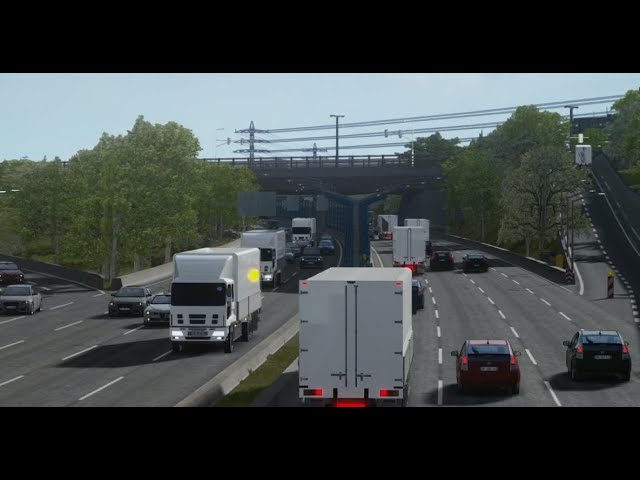
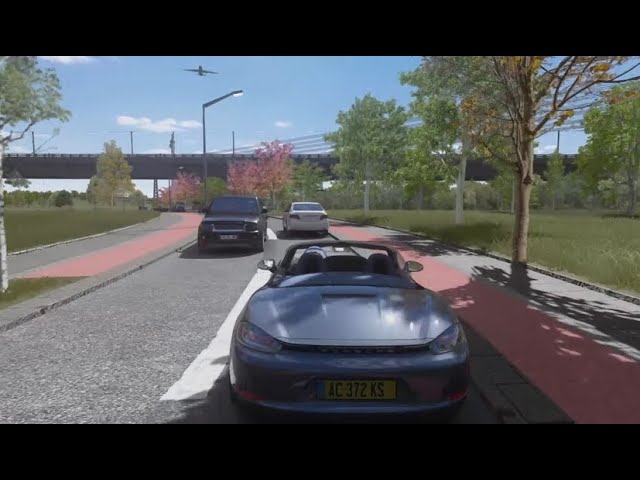
This is a Assetto Corsa Traffic Mod for using CSP Traffic Planner Tool. Load up to 2000 cars with the planner or (new) 2REAL APP and enjoy Battenbergring with massive realistic traffic simulations and cars stopping at intersections and traffic signs. Thanks to maximumstar02 for the help on this. Install: Put the surface.ini and traffic.json file in every ''data'' folder of the track. example: ...steamapps\common\assettocorsa\content\tracks\Battenbergring\data Then start the map in practise mode and use traffic planner or (new) 2REAL APP to spawn the traffic cars. If you are not familiar with the 2REAL APP, check out the latest info post to find out what magic it can do. Have fun & Enjoy ! Map Download: https://www.overtake.gg/downloads/battenbergring.51838/

Below a list with the most common issues and solutions for the traffic planner. If nothing of this works for you, head to our Discord #bug-report channel. Bugs + Fixes Sim Crashed Can have different reasons, enable & disable all options on Traffic planners first page. Profil CG options costs heavy CPU and should always be disabled, as well as all other options except ''spawn cars nearby''. Also try less Cars or different Carpacks for traffic planner. Sometimes this happens only on certain spots so if you drive away a bit and start the sim again it can also fix the problem. otherwise, reinstall the mod. Make sure to use at least csp version 1.79 and try different csp versions if you experience any unmentioned bugs. Missing Code in surface.ini Open Track folder and replace ALL surface.ini files with the surface.ini files from the Traffic Mods download. The surface.ini file in the track is usually located in each of the tracks Layouts /data folder. If the traffic mod did not came with a surface.ini file, you can also use any surface.ini file from any other map with working traffic mod. Can't see any cars when opening Traffic Planner Make sure that you have installed the traffic mod for each track and each of the tracks layouts (for example SRP has more than 7 layouts, so the traffic mod files need to be put in each of the layouts /data folder) Traffic Planner is blank or has not mentioned bugs Make sure you use at least csp version 1.79. Also If you use the new 2REAl App make sure to delete the old traffic tool folder from assettocorsa/extension/lua/tools -> csp-traffic-tool (Bearbeitet) Only 2 traffic cars Make sure you properly install the 2real carpack for traffic planner. The install process is different depending on what version of traffic planner you are using, please read the post description carefully. Traffic Cars swerving lanes / Traffic not on all lanes For some maps there are different traffic options depending on your prefered playstyle. Choose between CUT-UP and OVERTAKING. Watch demonstration here: https://youtu.be/47DiZ1za83s?si=hOdyIVfgyUg8G7al Transparent Traffic Cars Disable Motion Blur (set it to 0) in ac video settings. Try different csp versions, different versions can have different bugs with the traffic tool. Everything from 0.179 and up should be good. If you use the new 2REAl App make sure to delete the old traffic tool folder from assettocorsa/extension/lua/tools -> csp-traffic-tool. Cars have no Headlights If you use the new 2REAl App make sure to delete the old traffic tool folder from assettocorsa/extension/lua/tools -> csp-traffic-tool. Otherwise, if you already did that, Ingame, go to Taskbar -> PureCongfig -> Light -> Csp Light Bounce and higher that value until you see the lights of the traffic cars. Might make your game look better or worse, if its looking worse (but headlights working) play around with the pp settings in pure config until you like the result. Let me know in the comments if you have any bugs not mentioned on the list.

Watch the Gameplay Trailer Video for 2Real's Police Mod for Assetto Corsa. Get chased by police anywhere and anytime you want! How it works: Police cars will spawn in traffic and act as normal traffic cars When player is driving above the speedlimit and drives by a police car, the police will start the chase Player can get chased by up to 3 police cars at the same time Player can loose police cars by driving very fast or making police cars crash The Police already has working emissive lights + sirene sounds and will rubberband behind the player (which still might look a bit buggy but we will improve on that). This police mod works with every 2real traffic mod on every map when using the 2REAL APP . Download Police Mod (1.3 2REAL APP): https://www.patreon.com/posts/2reals-traffic-1-107990660

Preview for the 2REAL APP 1.3 Update which includes a Police Mod for Singleplayer Assetto Corsa. After fixing mostly all of the common bugs from the traffic tool with the 1.2 patch, we now started adding new experimential features. This 1.3 Patch for 2REAL APP will add the first working singleplayer police mod to your Assetto Corsa game. Get chased by police anywhere and anytime you want! How it works: Police cars will spawn in traffic and act as normal traffic cars When player is driving above the speedlimit and drives by a police car, the police will start the chase Player can get chased by up to 3 police cars at the same time Player can loose police cars by driving very fast or making police cars crash The Police already has working emissive lights + sirene sounds and will rubberband behind the player (which still might look a bit buggy but we will improve on that). This police mod works with every 2real traffic mod on every map when using the 2REAL APP . We really hope you like this addition to the 2REAL APP, the police mod so far is very experimential and will for now only work with the default carpreset. Pls let us know your experience so we can improve on current problems further. Download Police Mod (1.3 2REAL APP): https://www.patreon.com/posts/2reals-traffic-1-107990660 Greets, enjoy and stay hyped for what we have planned next :)

Download Singleplayer Police Mod for Assetto Corsa using 2REAL APP. After fixing mostly all of the common bugs from the traffic tool with the 1.2 patch, we now started adding new experimential features. This 1.3 Patch for 2REAL APP will add the first working singleplayer police mod to your Assetto Corsa game. Get chased by police anywhere and anytime you want! How it works: Police cars will spawn in traffic and act as normal traffic cars When player is driving above the speedlimit and drives by a police car, the police will start the chase Player can get chased by up to 3 police cars at the same time Player can loose police cars by driving very fast or making police cars crash The Police already has working emissive lights + sirene sounds and will rubberband behind the player (which still might look a bit buggy but we will improve on that). This police mod works with every 2real traffic mod on every map when using the 2REAL APP. Install: (automatic) recommended 1. Drag & Drop the downloaded Folder to Content Manager and hit install. 2. Download the Carpack and drop the folder to Content Manager, hit install. or (manual) 1. Drop the downloaded ''apps'' folder into steamapps/assettocorsa, hit ''overwrite files'' if asked. 2. Download the Carpack and drop the ''apps'' folder from download into steamapps/assettocorsa, hit ''overwrite files'' if asked. After installing 2REAL APP and Carpack you will find an APP in the ingame Taskbar called ''TrafficTool'', open it and manage your traffic settings with the app. We really hope you like this addition to the 2REAL APP, the police mod so far is very experimential and will for now only work with the default carpreset. Pls let us know your experience so we can improve on current problems further. Greets, enjoy and stay hyped for what we have planned next :)

Traffic Mod for Horizon New Gen #3 (Ultimate) v1.1 This is a Assetto Corsa Traffic Mod for using CSP Traffic Planner Tool. Load up to 2000 cars with the planner or (new) 2REAL APP and enjoy the map with massive realistic traffic simulations and cars stopping at intersections and traffic signs. Install: Put the surface.ini and traffic.json file in every ''data'' folder of the track. example: ...steamapps\common\assettocorsa\content\tracks\Horizon_New_Gen_3\Horizon_New_Gen_3_Ultimate\data Then start the map in practise mode and use traffic planner or (new) 2REAL APP to spawn the traffic cars. If you are not familiar with the 2REAL APP, check out the latest info post to find out what magic it can do. Enjoy :) Map Download: https://www.patreon.com/posts/horizon-new-gen-97034581

2REAL Traffic Mod for new MCP ( Moskow City Project ) 4 Lane Traffic on the main road 3 Lane Traffic in the tunnels different rules for the seperate lanes, for different and realistic speed limits on every lane. So far I have only one intersection in the map to keep the flow of traffic consistens, but there will probably an alternative download version soon for everyone who wants the cars to stop on every intersection. Still, this version is most similar to the MCP servers wich I think most of you would probably prefere. Install: Put the surfaces.ini and traffic.json file from the download into -> assettocorsa/content/tracks/mcp_moskow_city_project/mcp_moskow_city_project/data folder. Works best with new 2REAL APP . If you dont have the App simply open the traffic via object inspector. (map download: https://www.patreon.com/posts/moskow-city-mcp-106730229 ) Have fun!

2REAL's Traffic Planner Patch 1.2 is an (unofficial) patch for CSP-Traffic-Planner Tool wich will fix the most common bugs & problems with the traffic tool. This update adds an automatic lane recorder to the tool and will fix the bug with stopping cars when overtaking them. About this Update: Overtaking fix - Cars will no longer stop abruptly when player is overtaking them closely. We set a limit so cars will still stop for player on low speeds, but when driving over 35 km/h they will no longer stop wich now finally allowes for a smooth driving/cut-up singleplayer experience. Automatic Laner Recorder - We added a button for creators that allowes you to create lanes while driving (just like with the old ai maker tools). Just enable the function in developer tab and hit Ctrl key to start the lane recording. Lane will automaticly be saved behind the player car. We will add more function for this soon. Intersection ''Despawn'' Fix - Fixes the Cars despawning at intersections. Lots of script rewriting for better performance, last update had a pretty heavy hit on performance but it should be much better now. Still, if you have any fps problems, just decrease the render distance in the tool with the first slider. Download 2REAL's Traffic Planner Patch 1.2 https://www.patreon.com/posts/2real-traffic-v-105298086 If you have any critics or ideas for the next updates, feel free to share them in the comments. We are already working on the next big update wich will open a completely new world for the Assetto Corsa singleplayer experience - stay hyped & thank you for beeing part of this project! :)

2REAL PATCH 1.4 IS OUT NOW - GET THE LATES UPDATE HERE ! ! ! 2REAL's Traffic Planner Patch is an (unofficial) patch for CSP-Traffic-Planner Tool wich will fix the most common bugs & problems with the traffic tool. This update adds an automatic lane recorder to the tool and will fix the bug with stopping cars when overtaking them. About this Update: Overtaking fix - Cars will no longer stop abruptly when player is overtaking them closely. We set a limit so cars will still stop for player on low speeds, but when driving over 35 km/h they will no longer stop wich now finally allowes for a smooth driving/cut-up singleplayer experience. Automatic Laner Recorder - We added a button for creators that allowes you to create lanes while driving (just like with the old ai maker tools). Just enable the function in developer tab and hit Ctrl key to start the lane recording. Lane will automaticly be saved behind the player car. We will add more function for this soon. Intersection ''Despawn'' Fix - Fixes the Cars despawning at intersections. Lots of script rewriting for better performance, last update had a pretty heavy hit on performance but it should be much better now. Still, if you have any fps problems, just decrease the render distance in the tool with the first slider. Install: (!) Before using the App, make sure to delete the whole csp traffic tool folder from -> assettocorsa/extensions/lua/tools/csp-traffic-tool otherwise the App will not work properly. Then you can Drag & Drop the downloaded files to Content Manager or Put TrafficTool file in assettocorsa/apps/lua Dont forget to install the Carpack AFTER installing the Traffic Planner Patch. Before using the App, make sure to delete the csp traffic tool folder from -> assettocorsa/extensions/lua/tools/csp-traffic-tool otherwise the App will not work properly. If you have any critics or ideas for the next updates, feel free to share them in the comments. We are already working on the next big update wich will open a completely new world for the Assetto Corsa singleplayer experience - stay hyped & thank you for beeing part of this project! :)

2REAL's Traffic Planner Patch 1.2 is an (unofficial) patch for CSP-Traffic-Planner Tool wich will fix the most common bugs & problems with the traffic tool. This Update comes with a lot of new functions, bugfixes and improvements for a more user friendly experience. About the 1.1 Update Traffic Tool is now an APP. You dont need to open the object inspector anymore to open the Tool, it's now easiely accessable from the app-bar ingame. You can now switch between different carpresets inside the Traffic Tool App (ex. Europe,Japanese...). This will not automaticly affect the licence plates of the traffic cars but there might be a solution for this in the future. Added new sliders to change some light settings for traffic cars, this can have a big impact on performance so be careful with the settings. Traffic Cars will despawn shortly after crash, so there is no need anymore to restart the tool while playing. You can now turn off traffic planner by setting car amount to 0. fixed flying cars on bridges/intersections made some tweaks for traffic cars + carpack to improve on the cars stopping when overtaking them closely. This is still not completely fixed but now when driving it should not really be noticable anymore. Still happens randomly sometimes and will be improved further. 1.2 Update Overtaking fix - Cars will no longer stop abruptly when player is overtaking them closely. We set a limit so cars will still stop for player on low speeds, but when driving over 35 km/h they will no longer stop wich now finally allowes for a smooth driving/cut-up singleplayer experience. Automatic Laner Recorder - We added a button for creators that allowes you to create lanes while driving (just like with the old ai maker tools). Just enable the function in developer tab and hit Ctrl key to start the lane recording. Lane will automaticly be saved behind the player car. We will add more function for this soon. Intersection ''Despawn'' Fix - Fixes the Cars despawning at intersections. Lots of script rewriting for better performance, last update had a pretty heavy hit on performance but it should be much better now. Still, if you have any fps problems, just decrease the render distance in the tool with the first slider. In the past months we have put a lot of work into this update and we really hope you like the new improvements and functions. If you have any problems or suggestions for the tool feel free to let us know in our Discord . Thank you for being part of this project & stay tuned for what is coming next! :)